Integrating SpendWisely with Slack and Notion
Get cash digests and quick balance logging in Slack and Notion. Stay on top of weekly pay without living inside another finance app. No bank login.
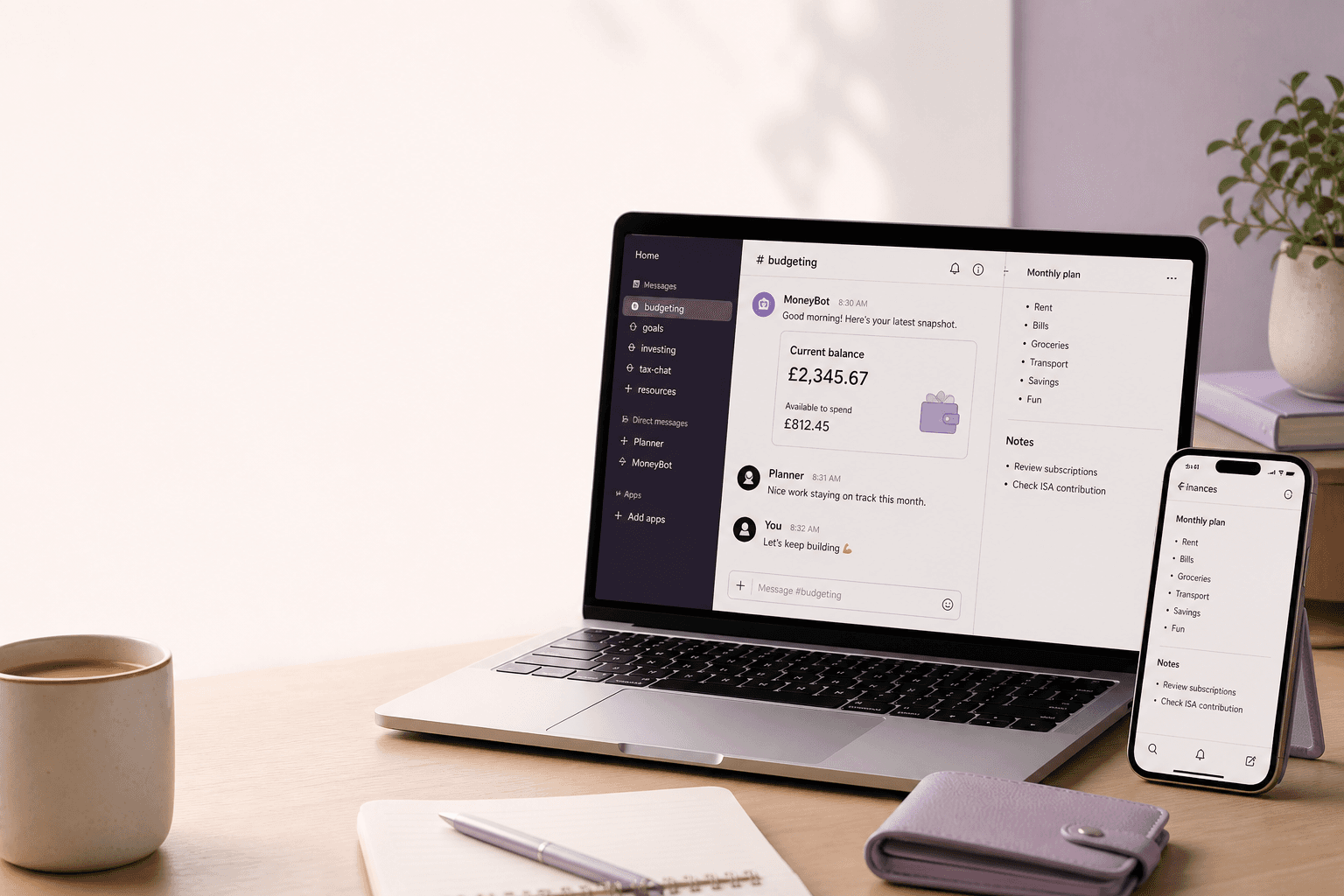
Connect Slack and Notion for cash digests and quick balance logging so you can stay on top of your position without living inside another finance app all day. Your 30-day forecast still lives in SpendWisely. The ping shows up where you already work.
Why integrations beat “open the money app later”
Educational money-management information from SpendWisely (Adleads Ltd). Not personalised financial advice; Adleads Ltd is not FCA-authorised. Debt crisis: StepChange, National Debtline, MoneyHelper. If money worry is affecting how you feel, Mind has guidance on getting support.
If you are paid weekly, the dangerous window is not month-end. It is the hour after payday, and Saturday when the weekend balance looks high.
A digest in Slack or a log in Notion is a nudge in the tools you already have open. You do not need to remember to launch a fifth app.
What Slack is for
Use Slack for cash digests: a snapshot of position so you can glance and get back to work.
Typical jobs:
- Morning: where the forecast says you stand
- After you log a balance: confirm it landed
- Before a purchase: reminder to run Spending Impact
Keep the channel quiet. One digest beats a firehose.
What Notion is for
Use Notion for quick balance logging and a simple trail you can search later.
Typical jobs:
- Drop in today’s bank figure without connecting Open Banking
- Note a planned purchase or a BNPL date
- Keep a weekly pay / hours note if income moves around
SpendWisely still does the 30-day maths. Notion is the notebook; Slack is the tap on the shoulder.
What you do not need to integrate
You do not need to link your bank. SpendWisely is a forecast from income and commitments you enter. Integrations sit on top of that. They are not Open Banking aggregation.
You also do not need to live in SpendWisely. Install the PWA for a full-screen check, turn on email notifications if you prefer inbox over Slack, and use Slack/Notion for the rest.
A simple setup (UK, weekly pay)
- Build the forecast: income dates, rent, bills, BNPL commitments.
- Set a daily spend limit until the next payday.
- Connect Slack for a short digest; Notion for logging.
- When something big appears in the shop, preview it with Spending Impact before you tap.
Frequently asked questions
How do Slack and Notion fit in?
Cash digests and quick balance logging, so you stay on top of your position without another finance app open all day.
Is this the same as connecting Monzo or Starling?
No. No bank login. You bring the numbers in; Slack and Notion just surface them.
Can I skip Slack and only use email?
Yes. Daily emails are an option if chat is the wrong place.
Start a 14-day trial
Set up the forecast, then add Slack or Notion when you want the ping. Get started free — no bank connection or Open Banking login required.
Related: How it works · Install on your phone · Weekly pay
Read more
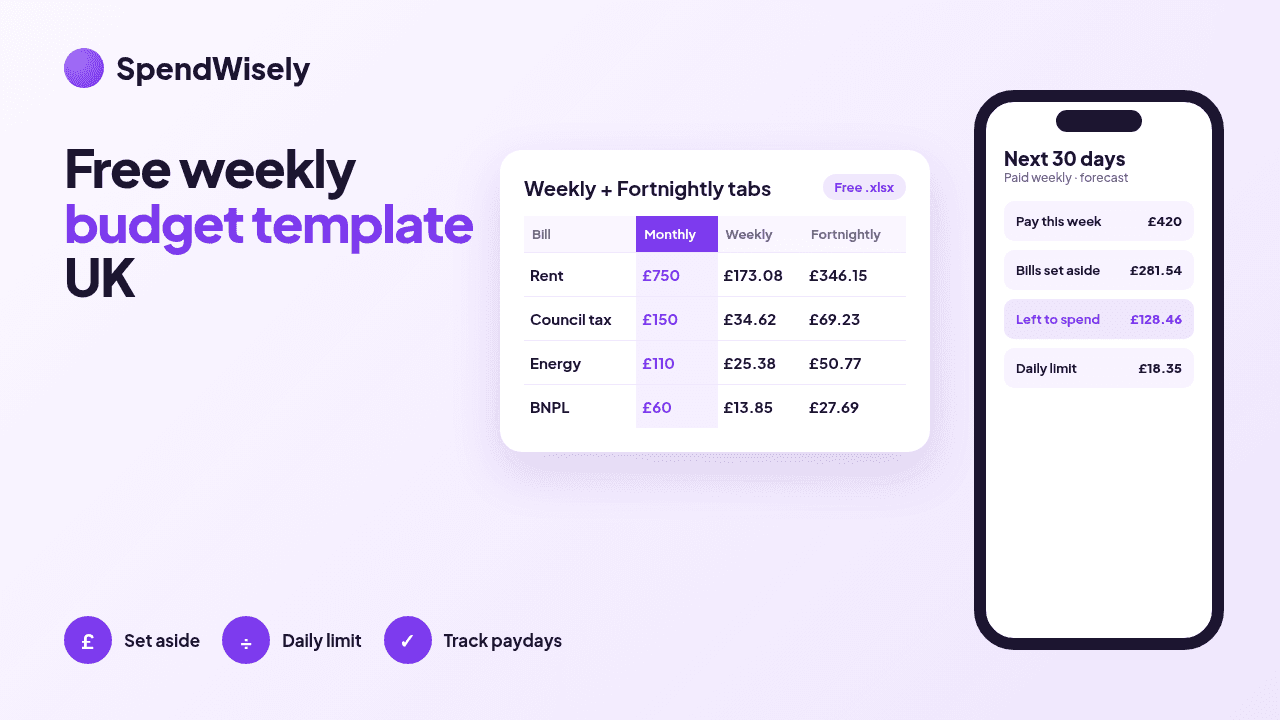
Free weekly budget template (UK) with a fortnightly tab
Free weekly budget template and spreadsheet for the UK, with a fortnightly tab. Turn monthly bills into a weekly or fortnightly amount and get a daily spend limit.
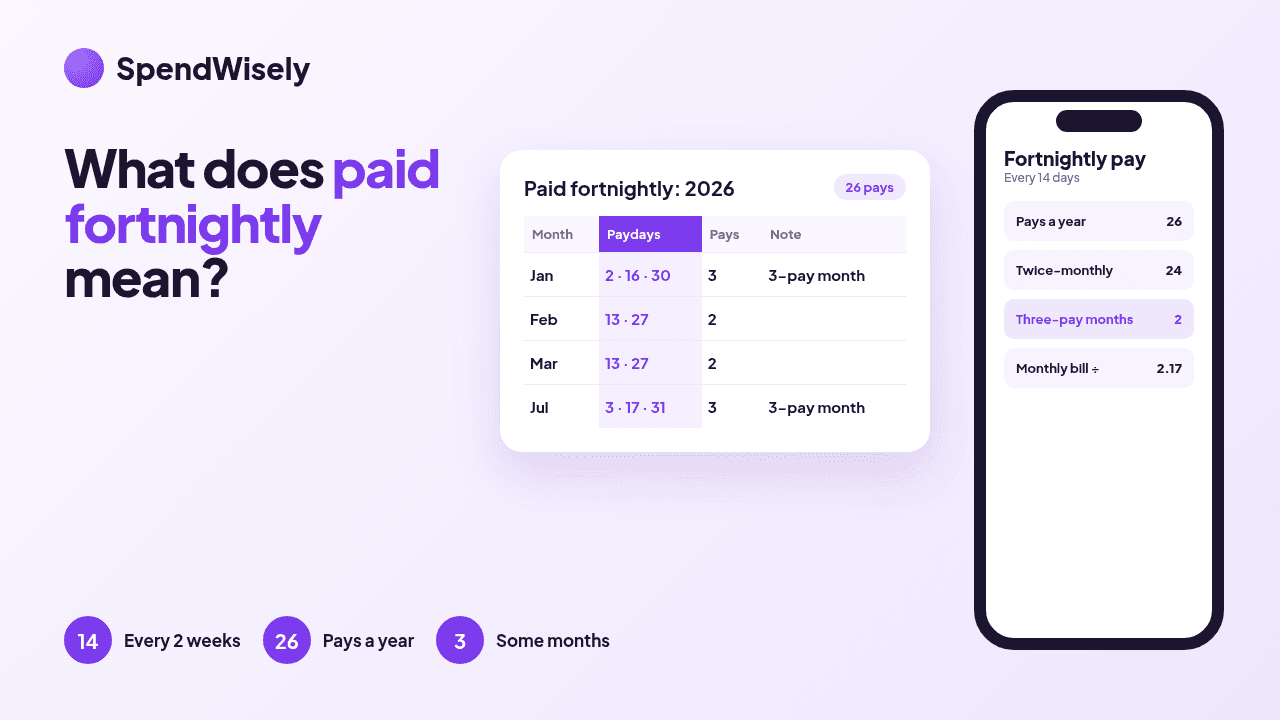
What does paid fortnightly mean? Fortnightly pay explained (UK)
Paid fortnightly means every two weeks: 26 paydays a year, not 24. How fortnightly pay differs from bi-weekly and twice-monthly, and why some months have three.
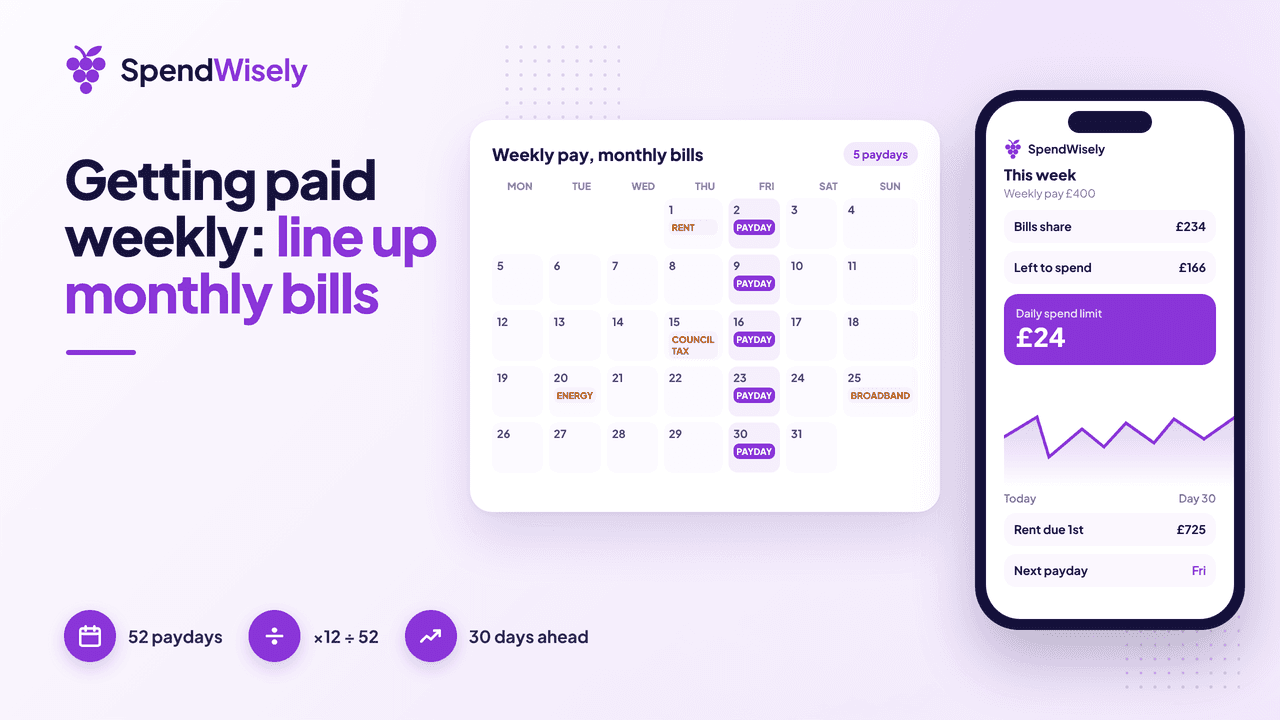
Getting paid weekly in the UK: pros, cons, and how to line up monthly bills
Getting paid weekly in the UK: the real pros and cons, weekly vs monthly pay, and how to line up rent and monthly bills with ×12÷52 and a 30-day forecast.